Free 3D print price calculator for young makers
Know what your 3D prints cost. Charge the right price.
TinkerTill helps kids and teens who 3D print work out what each print costs to make, what to charge for it, and how their little shop is doing, with grown-ups in charge.
Free to price your prints, right in your browser. No account or download needed. iPhone, iPad and Android apps coming soon.
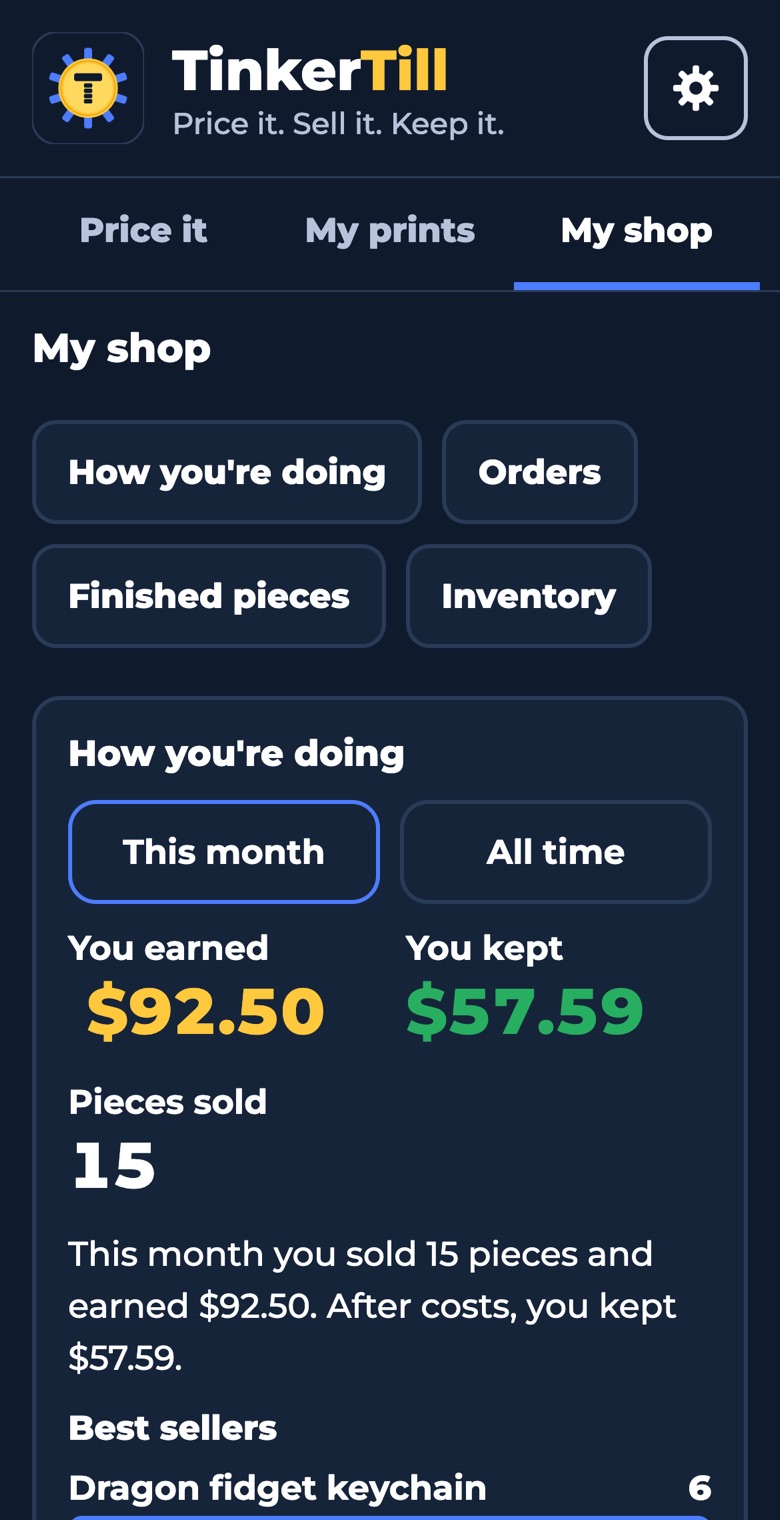
Three steps, one little shop
Big buttons, plain words, and Undo when you change your mind. Built so a 12-year-old can use this 3D printing cost calculator without help.
Price it.
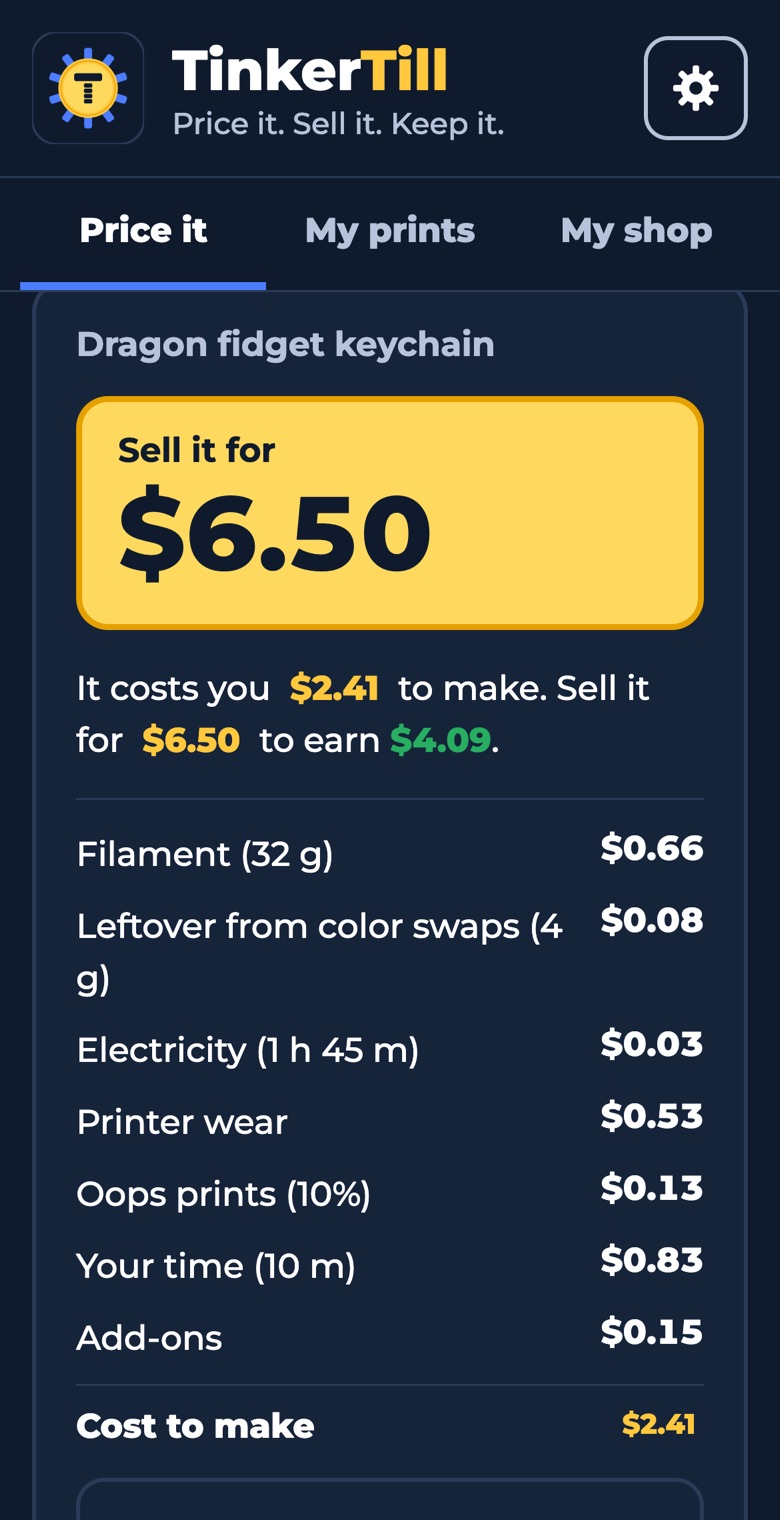
Add the filament colors you used, the grams, and how long the print takes. TinkerTill adds up everything it really cost and suggests an easy-to-say price.
- Pick a price style: Friends price, Fair price or Shop price.
- See it in plain words: "It costs you $2.41 to make. Sell it for $6.50 to earn $4.09."
- Selling a lot at once? Get a wholesale price that still earns money.
Sell it.
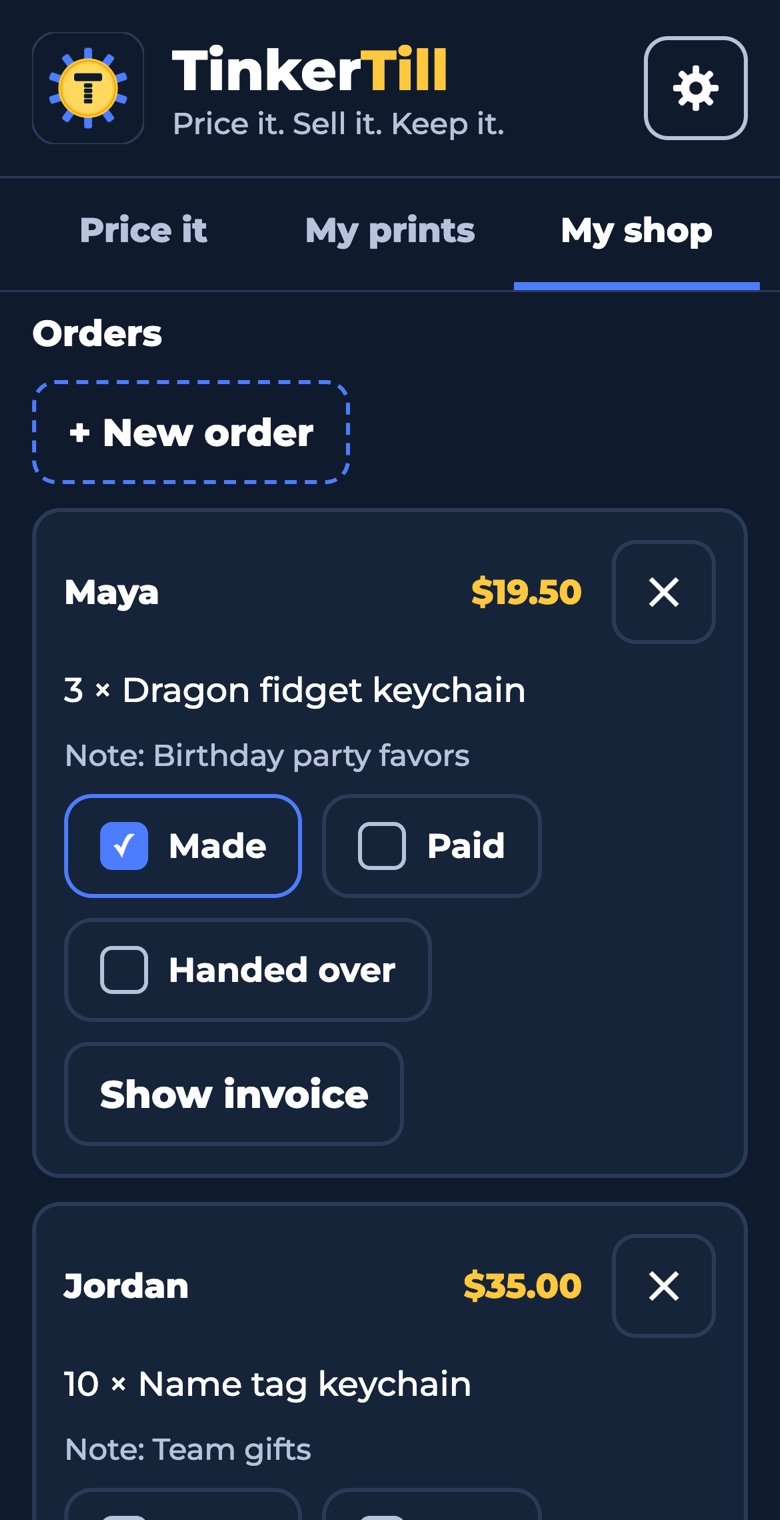
Keep track of who ordered what, what's been made, paid for and handed over, so nothing gets forgotten.
- Orders with a name, a note and every print in them.
- See your sales and what you really earned, in big, simple totals.
- Know how many of each piece you have ready on the shelf.
Keep it.
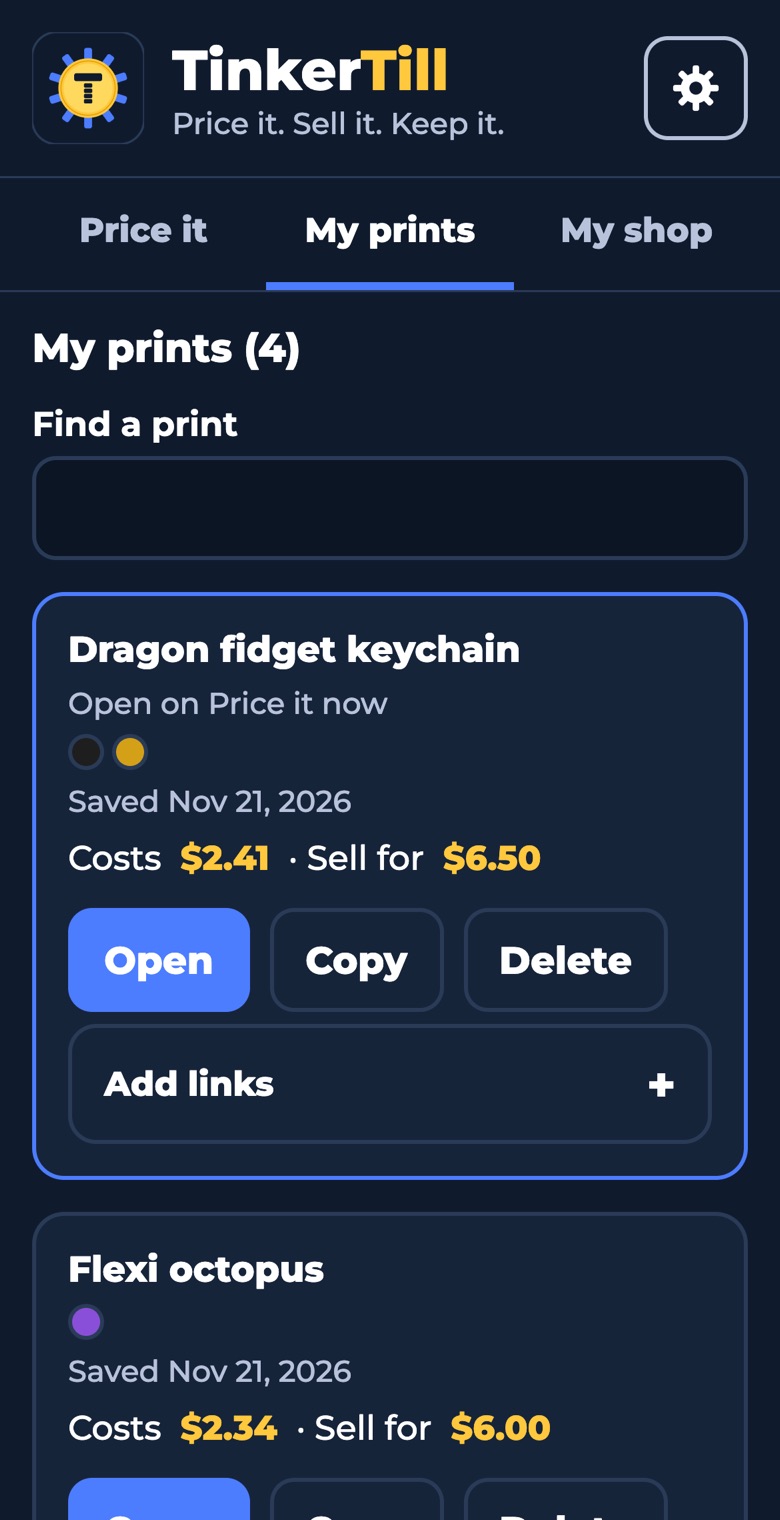
Every print you price is saved in My prints, with its price, colors and store links. Open it again, or copy it for a new color.
- My filament keeps your spools and their prices, so you never type them twice.
- Track how much filament is left on each spool.
- Add-ons like keyrings and magnets, with their own prices.
The things most price guesses forget
A print costs more than its filament. TinkerTill adds the rest, so a sale really earns money.
Filament by color
Each color with its own spool price and grams.
Color swaps
The leftover filament every color change wastes.
Oops prints
Some prints fail. A small allowance covers them.
Electricity
From your printer's power and how long it runs.
Printer wear
Nozzles and parts wear out. A little goes into each print.
Your time
Cleaning up and packing a print is work too.
Add-ons
Keyrings, magnets and clickers, at the price you paid.
Many currencies
Dollars, pounds, euros, dirhams, riyals and more.
Made for kids, run by parents
Kids get a tool that feels like theirs. Parents stay in charge of accounts and payments.
- Only a parent or guardian (18+) can make an account. Kids never give an email, phone number, birthday, photo or location.
- A parent PIN is needed before TinkerTill opens any website or makes a purchase.
- Up to 3 kid profiles in one family, each with their own prints and shop.
- No ads, no tracking, and we never sell anyone's information.
- Download or delete your family's information any time, right in the app.
- Built to work with screen readers, larger text and keyboards.
Free to price. One plan for the whole family.
No pop-ups and no pressure. Start free, and add the Family plan when your shop needs it.
Price it
No account needed.
- The full price calculator, with every cost above.
- Friends, Fair and Shop prices, and wholesale prices.
- Your filament and settings, kept on your device.
Family plan
or $29.99 a year (about 2 months free). Every new family gets a 1-month free trial.
- My prints: save prints and open them again, with store links.
- My shop: orders, sales and stock.
- Up to 3 kids, a second grown-up, and syncing on every device and this website.
Start the free trial in the TinkerTill app for iPhone, iPad or Android (coming soon). Then sign in here with the same parent account. Cancel any time where you subscribed. US prices; the stores show your local price.
Pricing 3D prints: common questions
How do I price a 3D print?
Add up what the print really costs to make: the filament for each color, the leftover filament from color swaps, electricity, printer wear, an allowance for failed prints, any add-ons, and your time. Then multiply that cost to get a selling price. TinkerTill does the math for you and rounds it to an easy-to-say price.
How much should I charge for a 3D print?
A simple rule is 2 to 3 times what it costs you to make. TinkerTill's Friends price is 2 times the cost, Fair price is 2.5 times and Shop price is 3 times. For big orders it suggests a wholesale price of about half the Shop price, never below 1.5 times the cost of making the batch.
How do I work out the filament cost of a 3D print?
Divide the spool price by its weight in grams, then multiply by the grams your slicer says the print uses. A $18 spool of 1,000 grams is 1.8 cents a gram, so a 32-gram print uses about 58 cents of filament. TinkerTill does this for every color you add.
What costs do people forget when pricing 3D prints?
Color swaps waste filament, some prints fail, the printer uses electricity, nozzles and parts wear out, and cleaning up and packing a print takes time. Leaving these out is the most common reason a 3D print sells for less than it really cost.
Is TinkerTill free?
Yes. Pricing your prints is free, right in your web browser, with no account. The optional Family plan ($2.99 a month or $29.99 a year, with a 1-month free trial) adds saving prints, orders and sales, up to 3 kids and syncing on every device.
Is TinkerTill safe for kids?
TinkerTill is made for kids and teens, with parents in charge. Only a parent or guardian can make an account, kids never give an email or other contact details, a parent PIN is needed before any link out or purchase, and there are no ads or tracking.